Author: Devika R
May 16, 2026
9 min read
A lot of students learn Revit. Some learn Navisworks. Many even complete BIM courses. But when they enter real projects, one problem appears again and again: they understand modeling… but not coordination.
In actual construction projects, coordination is where BIM becomes truly valuable. A real project involves HVAC systems, plumbing lines, firefighting networks, electrical containment, structural elements, and architectural constraints all existing together inside the same space. If these are not coordinated properly, the result is predictable: clashes on site, rework, delays, and costly modifications during construction.
This is exactly why MEP Coordination has become one of the most important parts of modern BIM workflows. If you want to see where coordination fits within full BIM execution, our breakdown of how a real BIM project works from design model to construction site walks through the same workflow logic.
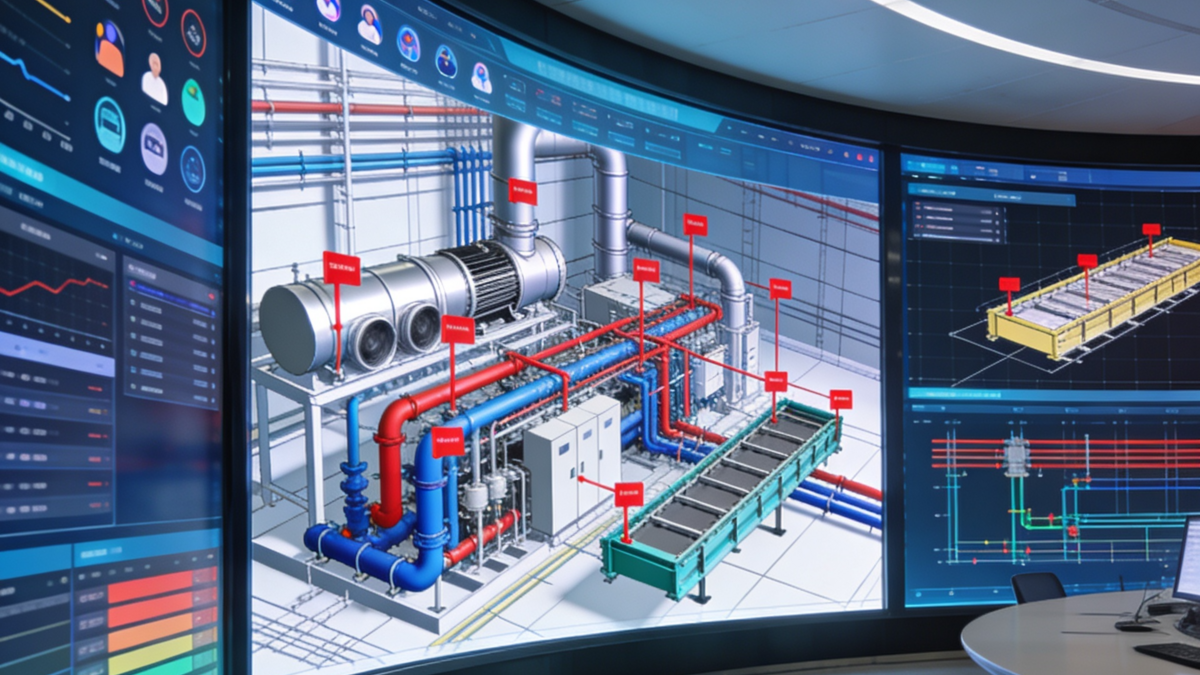
1. What MEP Coordination actually is
MEP Coordination is the process of organising and aligning mechanical, electrical, and plumbing systems inside a coordinated BIM environment before construction begins. The goal is simple: make sure all building services fit properly within available space without conflicting with each other or the structure. This sounds straightforward in theory. In real projects, coordination becomes a complex decision-making process involving clearances, routing priorities, maintenance access, ceiling space limitations, and constructability considerations—where many BIM beginners struggle, because coordination is not just software work. It is engineering logic combined with BIM workflows, the same theme covered in our MEP Design vs MEP BIM comparison.
2. Why coordination matters more than most people think
One poorly coordinated duct can affect cable trays, sprinkler systems, ceiling heights, beam clearances, and access panels—and sometimes, fixing one clash creates three new ones. This is why modern projects rely heavily on BIM coordination before execution starts on-site. Without coordination, installations slow down, site teams improvise solutions, costs increase, and project timelines suffer. Good coordination reduces these risks early.
3. Inside a real MEP coordination workflow
In most BIM projects, coordination follows a structured workflow. It usually begins with discipline-wise models being developed separately—architectural, structural, and MEP—then combined into a federated coordination model using Revit, Navisworks Manage, and Autodesk Construction Cloud. At this stage, coordination teams begin reviewing hard clashes, soft clashes, routing conflicts, clearance issues, and installation feasibility. This process continues through multiple coordination cycles until systems are properly aligned. The role of the BIM Coordinator in this workflow is covered in can a fresher really become a BIM coordinator.
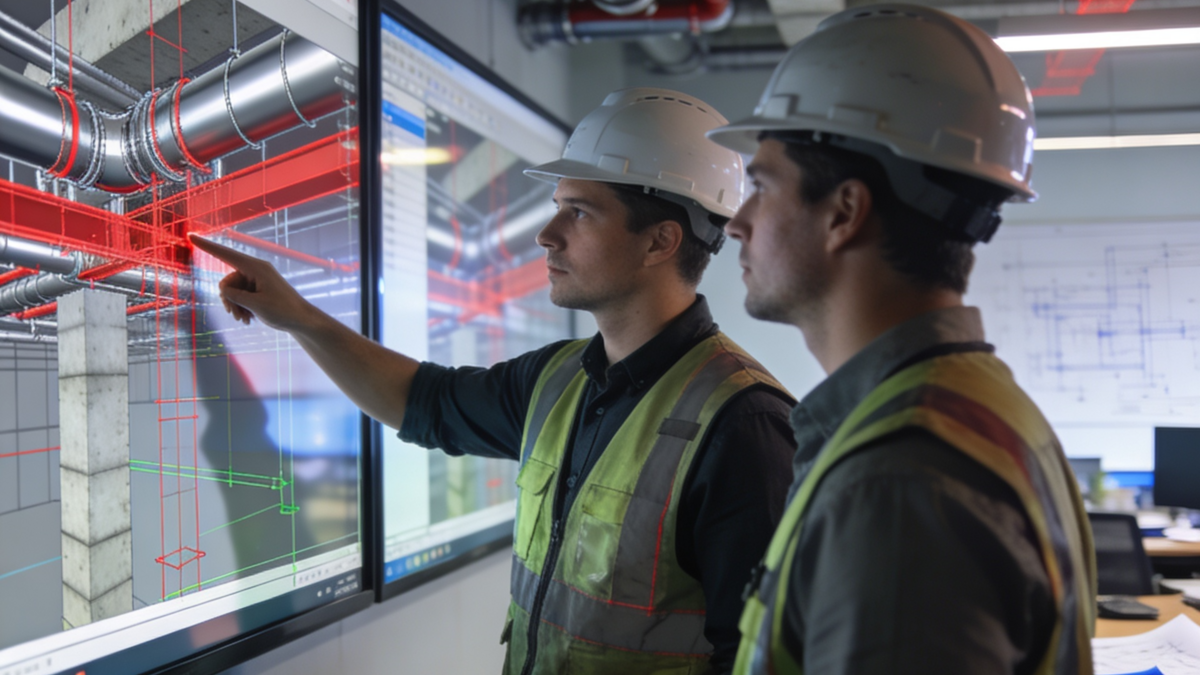
4. Hard clash vs soft clash, a common industry confusion
One of the first things BIM learners hear during coordination is: “Hard clash or soft clash?” Many never fully understand the difference. A hard clash happens when two physical elements occupy the same space—for example, an HVAC duct passing directly through a beam. This is physically impossible and must be corrected. A soft clash involves clearance or accessibility issues, such as a pipe too close to a maintenance access zone or equipment lacking required service clearance. These may not physically intersect, but they still create operational problems later. In real projects, soft clashes are often just as important as hard clashes.

Coordination is not “fixing red lines in Navisworks.” It is about deciding which system moves, which stays, and why—based on service priority, clearance, and constructability.
5. Coordination is not about “fixing red lines”
This is where many beginners misunderstand BIM coordination. They assume clash detection simply means running Navisworks, getting red clash points, and moving elements randomly. But real coordination decisions involve understanding system priority, service accessibility, construction sequence, ceiling zoning, and installation practicality. In many projects, large ducts receive routing priority, gravity drainage systems cannot shift easily, and electrical containment may adjust around HVAC systems. These decisions depend on project standards—not guesswork.
6. Why Navisworks became essential for coordination
While Revit helps create BIM models, Navisworks became popular because it allows teams to combine multiple disciplines, detect clashes, review installation sequences, and conduct coordination meetings. This made BIM coordination more practical and collaborative. Today, Navisworks remains one of the most widely used coordination tools across commercial and infrastructure projects—especially in Gulf BIM projects where clash detection workflows are now standard practice. Our step-by-step Navisworks clash detection guide walks through the exact workflow.
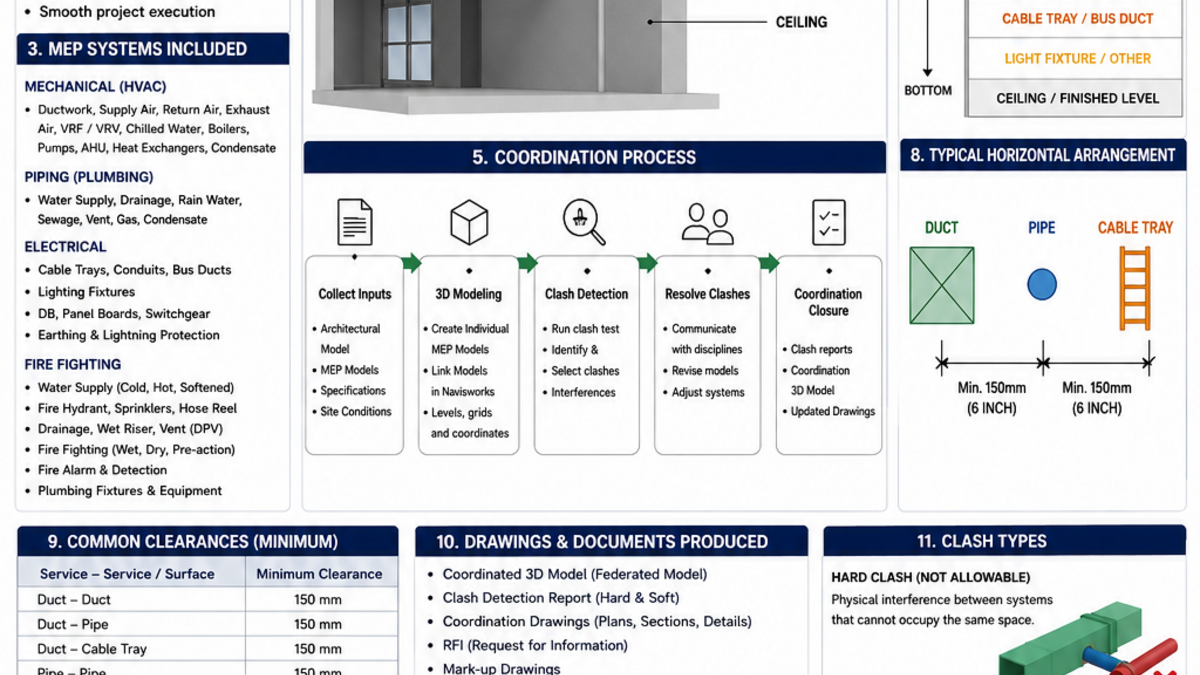
7. Coordination is becoming more important in GCC projects
Countries like the UAE, Saudi Arabia, and Qatar increasingly depend on BIM coordination for large-scale projects—airports, hospitals, metro systems, high-rise developments, and commercial towers. As projects become more complex, coordination workflows become critical for reducing site conflicts and maintaining project timelines. This is creating strong demand for professionals who understand not just modeling, but coordinated BIM execution.
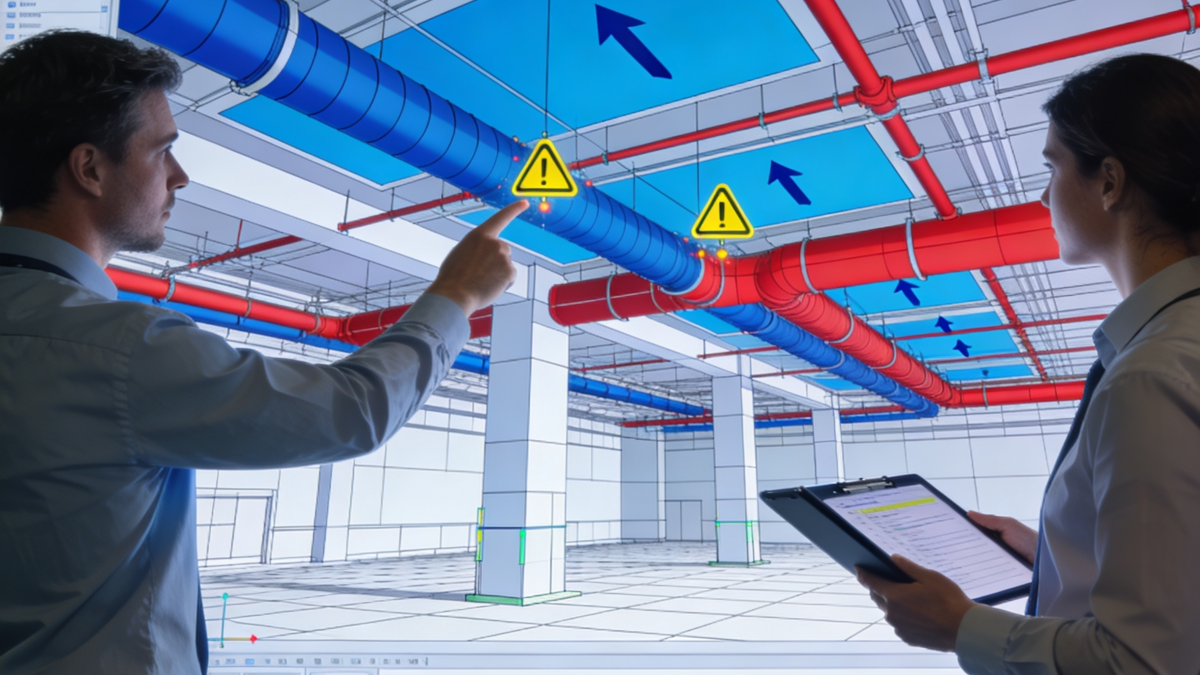
Common mistakes BIM learners make in coordination
Many students know commands but don’t understand how HVAC, plumbing, and electrical systems actually behave in buildings—coordination is not only about fitting elements, since maintenance access and installation space matter equally. One small ceiling space may contain ducts, sprinkler pipes, cable trays, lighting, and insulation; without proper zoning logic, clashes become unavoidable. And professional coordination follows standards, priorities, and workflow discipline—it is not a random movement of elements until clashes disappear.
What the industry actually expects
Modern BIM companies increasingly look for professionals who can understand services practically, read coordination situations, communicate with multiple disciplines, and identify constructability issues early. Because in real projects, coordination quality directly impacts execution quality. The hiring view of this skillset is covered in what BIM recruiters will actually hire you for in 2026.
BIM Cafe perspective
At BIM Cafe Learning Hub, one thing has become increasingly clear: many learners understand software interfaces but struggle when exposed to actual coordination environments. Real BIM workflows involve much more than modeling—they involve coordination logic, service understanding, clash management, workflow communication, and project-based problem solving. This is why industry-oriented BIM learning needs to move closer to practical coordination workflows rather than isolated software exercises.
Conclusion
MEP Coordination is one of the clearest examples of where BIM becomes real project engineering rather than just software usage. It combines technical understanding, spatial planning, coordination workflows, communication, and execution logic—which is exactly why it remains one of the most important skills in modern BIM projects. Because ultimately, BIM models only become valuable when they help projects get built properly.
Frequently Asked Questions
What is MEP Coordination in BIM?
MEP Coordination is the process of aligning mechanical, electrical, and plumbing systems inside a coordinated BIM model before construction begins, so building services fit within available space without clashing with each other or the structure.
What software is used for MEP coordination?
Commonly used tools include Revit, Navisworks Manage, Autodesk Construction Cloud (ACC), and BIM 360. Revit handles modeling, Navisworks runs clash detection and review, and ACC/BIM 360 host the federated coordination environment.
What is the difference between a hard clash and a soft clash?
A hard clash is when two physical elements occupy the same space (e.g., duct through a beam). A soft clash is a clearance or accessibility issue (e.g., not enough service space around equipment). Both matter on real projects.
Why is Navisworks important for BIM coordination?
Navisworks lets teams combine multiple discipline models into a federated view, run clash detection, review installation sequences, and manage coordination meetings—making it one of the most widely used coordination tools in commercial and infrastructure projects.
Professional BIM Course
Master BIM Course
Structural Design Concepts and BIM
Certified MEPF BIM Master Course
Electrical BIM Professional Program
RenderLab – Master 3D Modeling & Photorealistic Rendering
Multi-Tool Mastery for Architects & Engineers
BIM Coordinator Workflow Program
BIM FastTrack – 30 Day Intensive Training
Global Architectural & Structural BIM Project Program