Progress updatesFollow up, report and escalate clearly
VERIFY
Check the revision. Document the outcome.
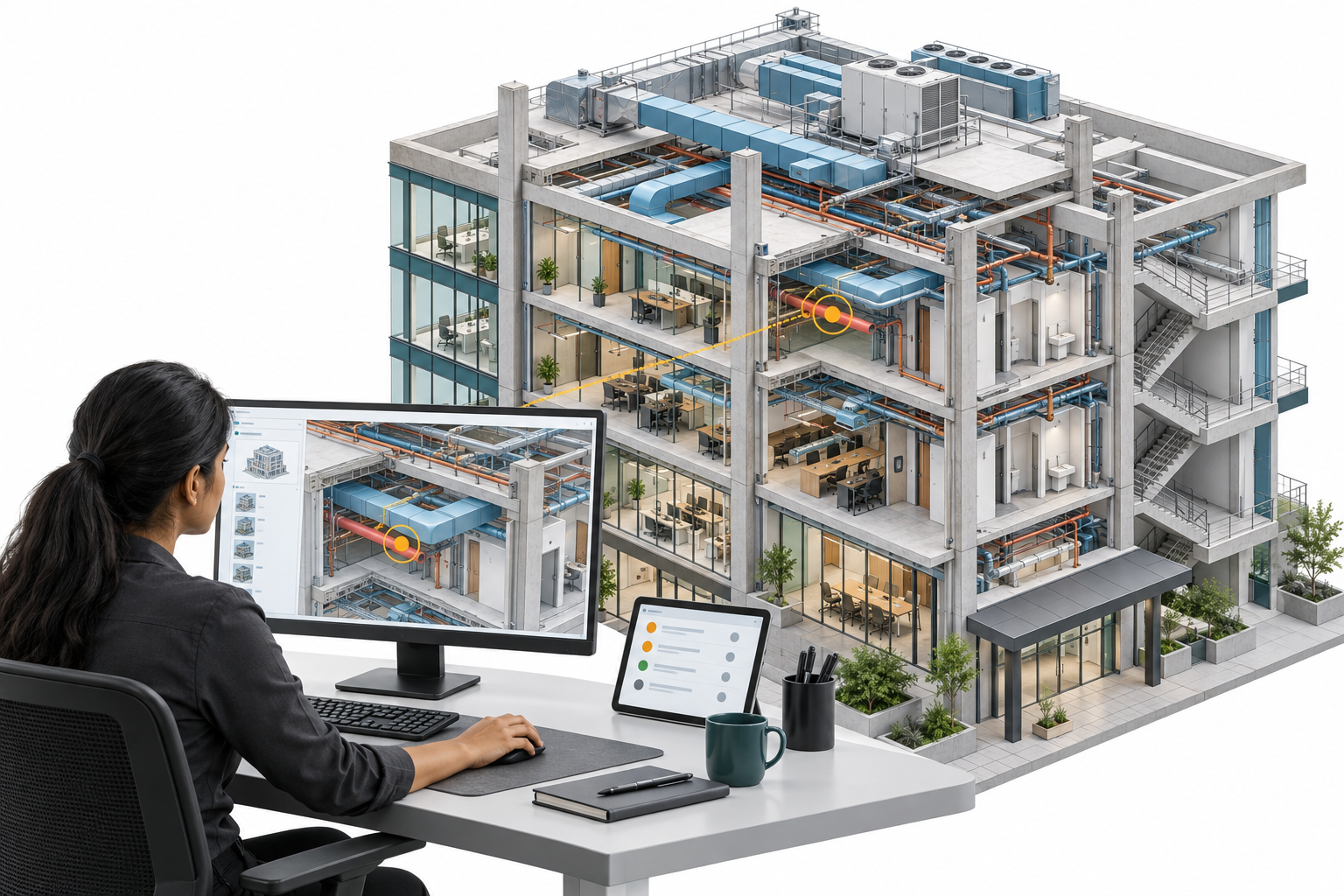
Update the federation with revised models, rerun relevant tests and verify resolution evidence. Record remaining actions in the final package.
WHAT YOU’LL WORK ON
01
Revised-model checksConfirm versions and re-run the tests
02
Verified closureCheck evidence or reopen unresolved issues
03
Final submissionModels, reports & coordination summary
Explore all nine syllabus modules +
01
Coordination role & planning
Plan exchanges, responsibilities and reviews.
02
Revit model readiness
Check received models and prepare controlled exports.
03
Coordinates & alignment
Verify positioning using selected training examples.
04
Navisworks federation
Build and maintain an organised review model.
05
Clash-test planning & analysis
Set up repeatable tests and prioritise findings.
06
Cloud collaboration & issue management
Track ownership, responses and closure evidence.
07
Information requirements & quality
BEP checks, model quality and introductory ISO 19650/COBie.
08
Meetings & client communication
Present issues, record actions and follow up.
09
Revised models & final submission
Recheck revisions and package the evidence.
Revit 2027 & AI-assisted practice
Explore supported Autodesk Assistant workflows with faculty guidance, then check the model and documentation yourself. Tech Preview features depend on availability.
PUT YOUR LEARNING TO WORK
1+ projects. Two review cycles.
Work with one supplied multidisciplinary dataset, then verify the trainer’s revised models.
ONE SUPPLIED DATASET
Architecture + Structure + MEP
01
INITIAL REVIEW
Find. Prioritise. Communicate.
Read the brief, check readiness and verify alignment.
Build the federation and prepare clash tests.
Review issues and assign responsibilities.
Present findings in a simulated coordination meeting.
YOUR RECORD
Readiness checks, reviewed clashes, assigned actions and meeting minutes.
02
REVISED-MODEL REVIEW
Recheck. Verify. Submit.
Receive revised models and confirm versions.
Update the federation and rerun relevant tests.
Verify responses, closure evidence and remaining issues.
Prepare the final report and coordination package.
YOUR EVIDENCE
Revision checks, closure records, remaining actions and a final summary.
Both cycles use one supplied project.
Discipline designers determine design changes; you communicate and verify the response.
FROM PRACTICE TO PORTFOLIO
Work you can show. Decisions you can explain.
3+ practical assessments focus on coordination judgement, supporting evidence and clear communication.
Submit›Get feedback›Improve
Show traceable versions, sensible priorities, useful follow-up and honest reporting of unresolved items.
01Model readiness & alignment+
Demonstrate model checks, version identification and alignment verification. Submit your checklist and supporting views.
02Clash analysis & issue reporting+
Demonstrate test setup, interpretation, prioritisation and communication. Submit a test matrix, reviewed clash report and issue register.
03Coordination review & final submission+
Present findings in the meeting simulation, review revised models, verify issue closure and submit the final coordination package.
YOUR COORDINATION PORTFOLIO
Leave with work you can explain.
Show how you organised the review, made decisions and verified the response.
01 / PREPARE
Your review foundation
Coordination plan, model-readiness checklist, alignment record and federated model.
02 / REVIEW
Your decisions & evidence
Clash-test matrix, reviewed clash report, issue register and model quality report.
03 / COMMUNICATE
Your coordination record
Meeting minutes, action tracker, revised-model summary and final presentation.
Use approved or anonymised training extracts in your portfolio. Course completion does not guarantee promotion, placement or a salary increase.
ONE MONTH · 30+ TOTAL LEARNING HOURS
Learn live. Apply between sessions.
Focused faculty sessions are supported by independent practice on the supplied project.
Practice hours are separate from live teaching.
12+ live hours
Lessons, demonstrations, model reviews and a coordination meeting simulation.
18+ practice hours
Model checks, clash analysis, issue tracking and final submissions between sessions.
BEFORE YOU ENROL
Bring your experience. Define your next step.
Discuss your current BIM work, confirm eligibility and receive your learning and submission plan.
All nine modules, project exercises, faculty reviews and assessments are included. No optional modules or paid upgrades.
Who can join?+
Professionals with at least three years of practical BIM experience: BIM Engineers, experienced BIM Modelers, Revit MEP Engineers, and architectural or structural BIM professionals.
You should already understand Revit discipline modelling, linked models, project drawings and basic documentation. Beginner Revit modelling is not repeated.
How are sessions delivered?+
Confirm the live delivery mode, session dates, submission dates and timetable before enrolment. Plan for 18+ independent practice hours alongside the 12+ live hours.
How will cloud practice work?+
Cloud Collaboration & Document Management (BIM 360 / Autodesk Forma Data Management) (formerly Autodesk Docs) is part of the course.
Your enrolment confirmation specifies individual training access or faculty demonstration with an issue-register exercise. Commercial software subscriptions are not included.
What does the program cover?+
Practical coordination, information checks, issue management, meetings and revised-model verification. Coordinates and cloud workflows use selected examples; standards and COBie are introductory.
Coordination supports project teams through clear checks, communication and follow-up. Engineering design decisions remain with the responsible designers.
BIM EXPERIENCE → COORDINATION PRACTICE → REVIEWED EVIDENCE
Build your coordination capability. Start with a conversation.
Discuss your BIM experience, current responsibilities and coordination goals with our course team.