
Assess
Complete a practical Revit MEP skill check.
FOR EXISTING REVIT MEP USERS
Already know Revit MEP?
Learn to deliver a BIM project.
Complete one guided LOD 300 project in your selected discipline using international project inputs, faculty reviews and a practical coordination workflow.
Explore fees, optional modules and upcoming batches. No payment required; submitting your details does not enrol you.
Choose HVAC, Electrical, Plumbing or Fire Protection after your skill assessment.
Revit 2027 · AI-assisted workflows
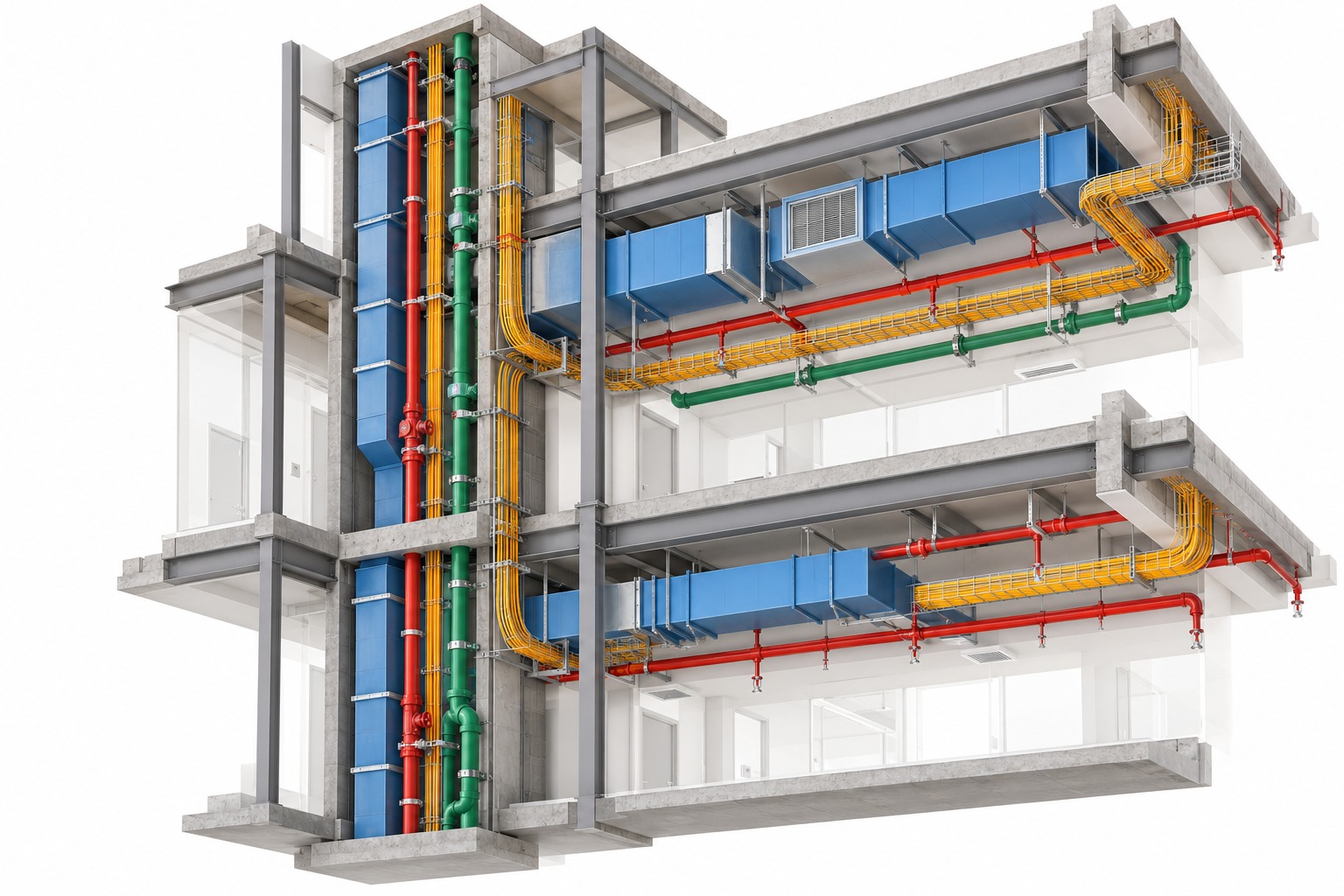
Choose the service you want to practise
Per selected discipline
Check your practical Revit MEP skills
Corrections, coordination and presentation
SOFTWARE IN THIS LEARNING PATH

Autodesk RevitProject modelling

Autodesk FormaIntroduction to collaboration
SELECT ONE PROJECT DISCIPLINE
Each option is a separate LOD 300 project. You author the selected service from approved engineering inputs and submit it for guided review.
HVAC · LOD 300 PROJECT
Author the assigned HVAC scope using approved layouts, equipment data and project information.
YOUR PROJECT SUBMISSION
Checked Revit modelAssigned HVAC scope at LOD 300
Sheets & schedulesRequired layouts and documentation
Review recordsQueries, checks and corrected work
You model from approved engineering inputs. Independent system design, calculations and equipment sizing are outside this project scope.
ELECTRICAL · LOD 300 PROJECT
Author the assigned electrical scope using approved layouts, schematics and equipment information.
YOUR PROJECT SUBMISSION
Checked Revit modelAssigned electrical scope at LOD 300
Sheets & schedulesRequired layouts and documentation
Review recordsQueries, checks and corrected work
You model from approved engineering inputs. Independent system design, calculations and load studies are outside this project scope.
PLUMBING · LOD 300 PROJECT
Author the assigned plumbing scope using approved service layouts, riser information and equipment data.
YOUR PROJECT SUBMISSION
Checked Revit modelAssigned plumbing scope at LOD 300
Sheets & schedulesRequired layouts and documentation
Review recordsQueries, checks and corrected work
You model from approved engineering inputs. Independent system design, calculations and pipe sizing are outside this project scope.
FIRE PROTECTION · LOD 300 PROJECT
Author the assigned fire protection scope using approved layouts, specifications and equipment information.
YOUR PROJECT SUBMISSION
Checked Revit modelAssigned fire protection scope at LOD 300
Sheets & schedulesRequired layouts and documentation
Review recordsQueries, checks and corrected work
You model from approved engineering inputs. Independent system design, calculations and hydraulic analysis are outside this project scope.
✓Selecting one discipline includes authoring that service. Architectural, structural and other service models are supplied as coordination references; you do not author every discipline.
A GUIDED PROJECT DELIVERY SEQUENCE
Move from your current software skills to a reviewed project submission you can explain.
Complete a practical Revit MEP skill check.
Confirm discipline, scope, inputs and outputs.
Build the assigned LOD 300 model and documents.
Respond to faculty checks and coordination comments.
Organise your work and explain your decisions.
Review the project brief, use the supplied templates and links, and confirm coordinates, levels, grids and naming.
Author the assigned LOD 300 service using approved engineering inputs and the defined element scope.
Review accuracy, resolve comments, raise queries and keep a clear correction record.
Prepare the required views, sheets, schedules and final submission files.
NAVISWORKS MANAGE COORDINATION
Federate your authored discipline with supplied architectural, structural and other service models. Check alignment and revisions, run agreed clash tests and record what happens next.
Prepare the federationReview model versions, alignment and shared project context.
Run focused clash testsCreate selection or search sets, group results and identify real coordination issues.
Report and recheckUse viewpoints, clash reports and an issue tracker to follow updates.
Review → assign → update → recheck
EVIDENCE OF YOUR PROJECT WORK
Your final package records what you built, how it was checked and how you responded to issues.
Your selected discipline model, developed to the agreed LOD 300 scope.
Required drawings, schedules and supporting project documentation.
Viewpoints, clash report and issue tracker from the agreed review.
Query log, checklists and evidence of your response to comments.
Approved selections that clearly show your individual contribution.
Use the right file for the right job. A clash-test XML can transfer test definitions and settings. An XML results report is not a general route for importing updated client comments; use the supported issue workflow instead.
FACULTY REVIEW + CAREER PREPARATION
Support covers the project itself and how you present your contribution to employers.
Milestone checks, corrections, RFI or query guidance and final submission review.
Explain an issue, follow meeting etiquette and track actions through to the next review.
Organise approved project extracts and communicate your actual contribution clearly.
Technical interview preparation, a mock interview and suitable career guidance.
A practical orientation to Autodesk Forma workflows.
Included as an introductory session alongside the selected project program.Placement support does not guarantee employment. Hiring depends on your existing skills, project performance and the employer’s selection process.
CONTINUE AFTER LOD 300
LOD 350 and LOD 400 project work can be scoped on request after your current experience and target role are reviewed.
These are separate advanced learning options. Their element scope, inputs, outputs, duration and review milestones are confirmed before enrolment.
Develop specified service interfaces, openings, access zones and support or interface requirements. Coordinate the authored scope more widely and work through issue resolution.
Develop one bounded package using manufacturer or specialist inputs. Add required fittings, connections, accessories and supports, then prepare detailed drawings and review records.
LOD 400 alone does not mean a field-verified as-built model or complete facility-management readiness.
START WITH WHAT YOU ALREADY KNOW
This program is for learners who have completed software training, working modelers who want another service, and professionals returning after a gap.
It is a guided project-delivery program for existing Revit MEP users. It is not beginner software training or a complete engineering-design qualification.
Request your free assessmentDuration, session dates, delivery mode and review milestones are confirmed after assessment.
Set up a projectUse links, levels and the supplied project information.
Model your serviceDemonstrate core tools in the discipline you want to select.
Document and checkCreate a clear view or sheet and review basic model quality.
COMMON QUESTIONS
Confirm the discipline, defined scope, inputs, outputs and review plan before enrolment.
Read the detailed syllabusYes. The program is for existing Revit MEP users. A free practical assessment identifies your readiness and any preparation you may need.
Each discipline is selected separately and includes one LOD 300 project. You author your chosen service; the other required models are supplied as coordination references.
No. You model from approved engineering inputs. Independent system design and calculations are outside the scope of this project program.
There is no single fixed schedule in the brochure. Your duration, session plan and review milestones are confirmed after the assessment and project-scope discussion.
You may use approved extracts under the dataset’s sharing conditions. Present it as a mentored training project and clearly state your own contribution. It is not employment or an internship.
ASSESS → SELECT → DELIVER
Share your Revit MEP experience and target discipline. The BIM Cafe team will help you confirm the right project scope and schedule.
Practical learning. Recognised training relationships.