
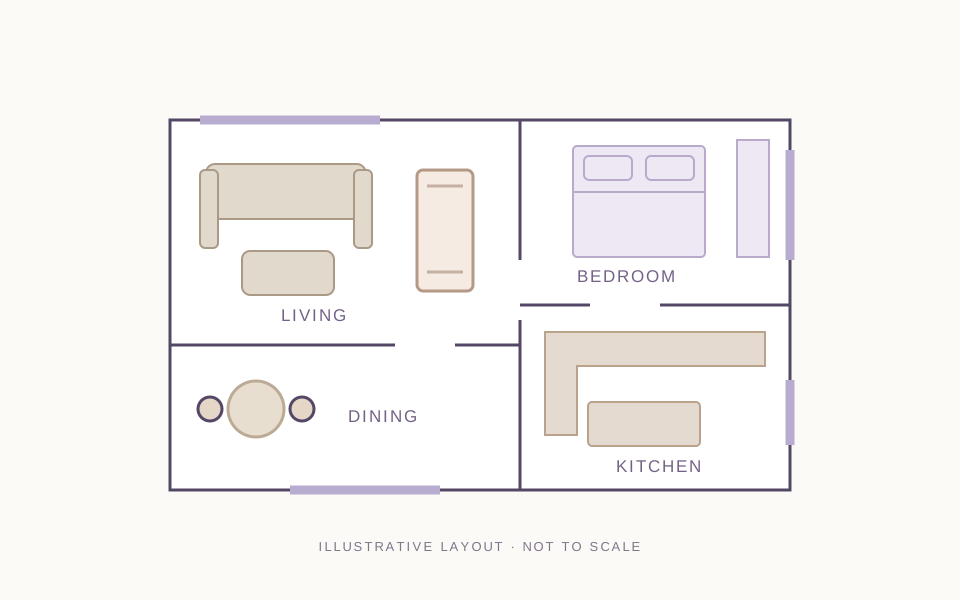
 DESIGN PROJECT01 / INCLUDED
PLAN FOR EVERYDAY LIVING
Residential interiors
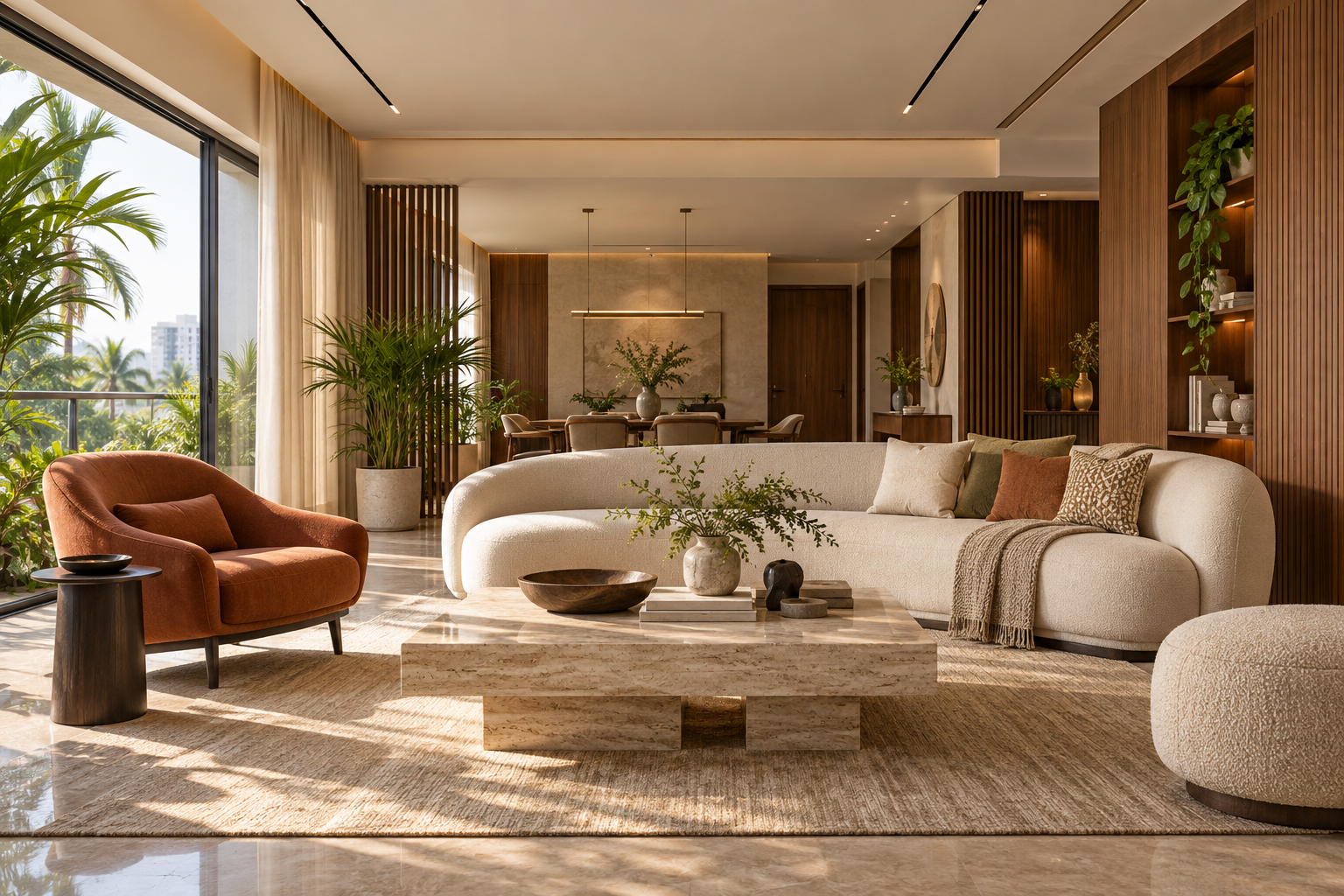
Develop a home interior from a user brief. Plan furniture, colour and materials, prepare technical drawings, and present the concept through V-Ray and selected Corona views.
From creative ideas
to thoughtfully designed spaces.
Plan spaces, select materials, develop drawings and create visuals. Build a portfolio that explains your design decisions.
Explore fees, optional modules and upcoming batches. No payment required; submitting your details does not enrol you.
Live online & classroom learning
Course duration
Plan, draw, model & render
Residential + commercial/hospitality
Interior working drawings
YOUR INCLUDED
SOFTWARE WORKFLOWS

AutoCADTechnical drawings

SketchUp + V-RayModelling & presentation
3ds Max + CoronaDetailed scenes & renders
DESIGN KNOWLEDGE MEETS PRACTICAL SKILLS
Learn how a space works, looks and feels.
Then communicate the details clearly.
Read the brief, understand user needs and plan functional spaces. Develop furniture layouts, zoning and circulation with ergonomics in mind.
Brief & siteUser needs, constraints & opportunities
Space planningFurniture, movement & adjacencies
Design rationaleExplain why the layout works
Explore design principles, styles and colour. Select materials and finishes for appearance, function and budget awareness.
Mood & material boardsConcept, colour palette & visual language
Materials & finishesFlooring, walls, ceilings & junctions
Design developmentFurniture, storage & lighting integration
Use AutoCAD to develop plans, elevations, sections and selected details. Build consistency across drawings and explore quantities and BOQ awareness.
Technical drawingsPlans, elevations, sections & annotations
Interior fit-outFurniture, joinery & selected details
Quantities & BOQSpecifications, measurement & budget awareness
Model interiors in SketchUp and 3ds Max. Use V-Ray and Corona to explore materials, lighting and cameras, then prepare presentation images.
SketchUp + V-RayConcept models & presentation renders
3ds Max + CoronaDetailed scenes, materials & final views
Visual communicationComposition, lighting & presentation
Bring drawings, visuals and boards together into a clear presentation. Apply faculty feedback and build selected work into your portfolio.
Presentation boardsCommunicate the concept and experience
Reviewed workRecord feedback, corrections & improvements
Portfolio pagesShow both process and final outputs
Explore project planning, site execution awareness, estimation and BOQ, vendor coordination, client communication and freelance practice. Study Indian and global design references, with introductory awareness of AI-assisted design.
Site visits depend on project availability and batch planning; online arrangements are confirmed with faculty.
PUT YOUR LEARNING TO WORK
Selected AEC project inputs from our parent company,
DDG BIM Services Private Limited, support guided learning.
DESIGN PROJECT01 / INCLUDEDPLAN FOR EVERYDAY LIVING
Develop a home interior from a user brief. Plan furniture, colour and materials, prepare technical drawings, and present the concept through V-Ray and selected Corona views.
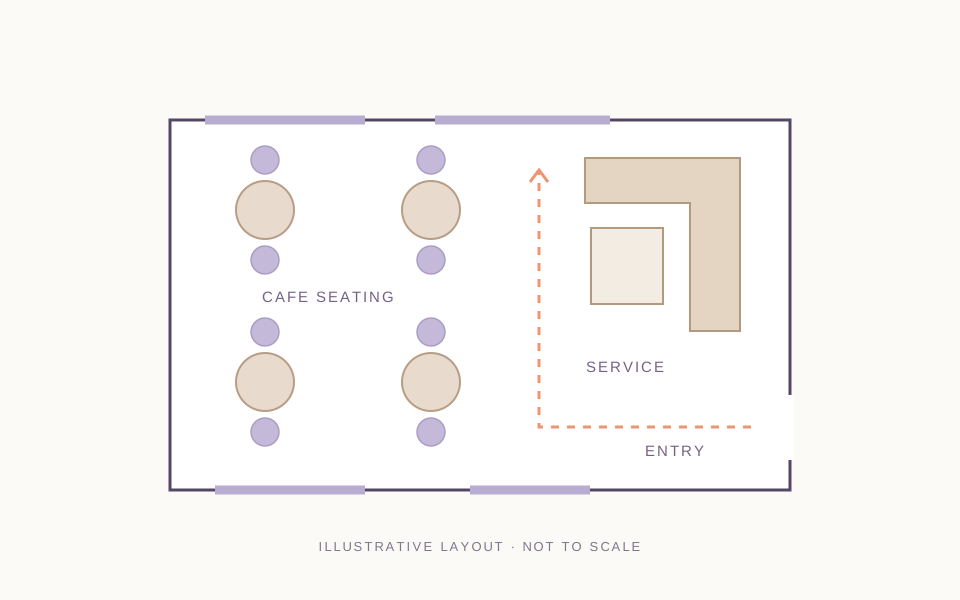 DESIGN PROJECT02 / INCLUDED
CONNECT PEOPLE, SPACE & BRAND
Work on one selected office, retail, cafe/restaurant or other suitable brief. Explore user movement, functional planning, materials and brand expression through drawings and visuals.
Brief › Plan › Develop › Document › Present
Educational assignments. Project scale and outputs follow the faculty brief.ALSO INCLUDED · FIT-OUT DRAWING PACKAGE
Create an AutoCAD drawing set from a course project or a separate faculty brief. This package complements your 2+ design projects.
FROM PRACTICE TO PORTFOLIO
5+ practical assessments build your design, drawing and visualisation skills before the complete project briefs.
Show your process: design rationale, mood boards, drawings, renders and reviewed improvements.
Develop a furniture layout from a supplied brief. Submit a planning sheet and explain your design rationale.
Prepare plans, elevations and a selected section as a coordinated drawing sheet.
Apply layers, dimensions and annotations to an interior CAD drawing set.
Develop a room or small interior concept; submit your model and presentation images.
Work with materials, lighting and cameras to produce a polished portfolio render.
YOUR NEXT STEP MATTERS
For students, career starters and working professionals
who want practical Interior Design skills.
Present reviewed drawings, renders and project work clearly in your professional profile.
Practise discussing design decisions, software workflows and project challenges.
Explain your brief, design development and how feedback improved the result.
Receive referral guidance based on applicable opportunities.
Develop client presentation, spoken and written English, studio-role and freelance awareness.
Placement assistance supports preparation and referrals where available. Hiring depends on student performance and employer requirements.
MAKE ROOM FOR YOUR NEXT CHAPTER
Choose the learning mode that works for you.
Build design skills through lessons, practice and project reviews.
Admissions reviews your background, goals and batch suitability. BIM Cafe issues the course-completion certificate after acceptance of the required exercises, projects and fit-out drawing package. Applicable software certificates depend on eligible training and issuance requirements.
Live lessons, guided practice and project reviews. Admissions confirms your batch timetable, teaching and practice hours, and online arrangements before enrolment.
Ask about online batchesClassroom lessons, guided practice and project reviews. Admissions confirms your batch timetable, teaching and practice hours, and classroom arrangements before enrolment.
Ask about classroom batchesCHOOSE YOUR NEXT SPECIALISATION
Select extra training for the work you want to explore next.
Lumion — interior visualisation and walkthroughs
Twinmotion — real-time scenes and presentation views
Rhino + Grasshopper — curved forms and adjustable geometry
Revit Architecture — live training in modelling, schedules and documentation
Navisworks Manage — live training in model review, clashes and coordination
ReCap Pro / Scan-to-BIM — point clouds and existing-condition workflows
The Professional BIM Course for Civil Engineers is a separate full course for eligible civil-background applicants.
Admissions reviews suitability and overlapping modules before enrolment. Discuss shared content when choosing multiple pathways.
CREATIVE THINKING → DESIGN SKILLS → YOUR PORTFOLIO
Experience the teaching approach. Discuss your background, learning goals, preferred mode and upcoming batches.
Practical learning. Recognised training relationships.