Author: Devika R
May 1, 2026
10 min read
Construction is leaning harder on digital delivery, and BIM sits at the center. With each release, Autodesk typically targets real workflow pain—not just new buttons. Revit 2027 continues in that direction: focused improvements in performance, collaboration, automation, and data handling that show up in day-to-day project work.
This article cuts through marketing language and explains what actually matters for architects, engineers, and BIM specialists—and how it connects to the skills employers still test in interviews, as in what BIM recruiters look for in 2026.
Why Revit updates matter in real BIM work
On real projects, BIM is not only modeling—it is coordination, decisions, and risk reduction before site work starts. Teams use BIM to find clashes early, align disciplines, and avoid expensive field fixes. That is why incremental Revit improvements still matter: small gains in navigation, links, or exports compound across large teams and long programmes—similar to the workflow risks we cover in why BIM fails when workflows break.
1. AI-powered Autodesk Assistant
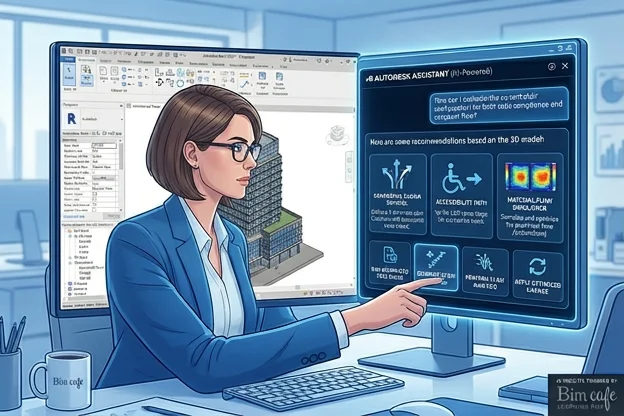
One of the more visible additions is an AI-assisted Autodesk Assistant experience aimed at getting answers, finding tools, and reducing repetitive steps without leaving the product context. For newer users, that can flatten the learning curve; for experienced modelers, it is mainly a time saver on documentation and navigation—not a replacement for judgment, which is the same theme we discuss in AI and BIM careers.
2. Improved graphics performance
Large federated models are where “small” performance issues become meeting problems. Revit 2027 pushes smoother navigation—zoom, orbit, and working with heavy models and links—so coordination sessions and design reviews stutter less. That directly supports the kind of multi-discipline reviews you run alongside Navisworks-style clash workflows when models are clean enough to federate.

3. Enhanced IFC interoperability
Open BIM and IFC are central on global projects where not everyone uses the same stack. Better IFC exchange means cleaner handoffs when data must move between tools and stakeholders under open BIM expectations—pair that discipline with the platform context in Forma, ACC, and the broader Autodesk ecosystem.
4. Improved MEP workflows
For MEP, updates around system analysis and fabrication-oriented modeling help teams reason about performance and installability with less friction. The practical payoff is fewer late-stage coordination surprises when architectural and structural constraints are already fixed—especially important if you are building the MEP + coordination story in our BIM software list for coordinators.
5. Better cloud collaboration
Remote and distributed delivery is standard. Revit 2027 continues to improve cloud model access, sync, and multi-location collaboration so teams in different cities can stay on a single source of truth—aligned with how ACC-style delivery is discussed in the same ecosystem article linked above.

Feature lists do not replace standards. Templates, naming, grids, and shared coordinates still decide whether collaboration is smooth—or painful.
What this release means in practice
Viewed together, Revit 2027 emphasizes three threads: speed for large models, collaboration through IFC and the cloud, and usability through assistance and navigation. They are not glamorous headlines, but they are the type of improvements that show up in weekly production work.
Where BIM (and Revit) are heading
Revit is slowly looking less like “just a modeler” and more like part of a data and delivery platform—especially as owners expect traceable information, not only drawings. That is why efficiency habits still matter: if you want faster day-to-day work even without upgrades, start with Revit shortcuts and modeling discipline that keep models coordination-ready.
Skills still beat version numbers
Tools will keep changing. What remains valuable is coordination logic, model quality, data handling, and how BIM is executed on real projects—the focus at BIM Cafe is connecting software changes to those delivery realities, not just release notes.
Conclusion
Revit 2027 does not try to reinvent BIM; it refines how teams work inside it—with better performance, improved collaboration paths, and smarter in-product help. Staying current matters, but applying updates inside a clear workflow is what actually moves projects.
Frequently Asked Questions
What is new in Revit 2027 for BIM teams?
Highlights include in-product AI assistance, graphics performance improvements, better IFC exchange, MEP-related workflow improvements, and stronger cloud collaboration.
Does Revit 2027 replace the need for Navisworks?
No. Revit handles authoring and multi-discipline modeling; many programmes still use Navisworks (or similar) for federated clash review and reporting at scale.
Is the AI assistant a replacement for BIM training?
It helps with guidance and speed, but coordination judgment, standards, and project experience still come from people.
Why does IFC matter in Revit 2027?
Better IFC improves interoperability when teams exchange models across tools and countries under open BIM expectations.
Professional BIM Course
Master BIM Course
Structural Design Concepts and BIM
Certified MEPF BIM Master Course
Electrical BIM Professional Program
RenderLab – Master 3D Modeling & Photorealistic Rendering
Multi-Tool Mastery for Architects & Engineers
BIM Coordinator Workflow Program
BIM FastTrack – 30 Day Intensive Training
Global Architectural & Structural BIM Project Program