Why BIM Coordinators Need More Than “Just Software” in 2026
When I started my journey as a BIM professional over seven years ago, the role of a BIM Coordinator was often misunderstood. Many assumed it was just about running clash detection or managing model files. Fast forward to 2026, and the reality is very different.
Today, a BIM Coordinator sits at the centre of design coordination, data consistency, multidisciplinary collaboration, and project delivery. You are expected to understand architecture, structure, MEP workflows, client requirements, BIM Execution Plans, and sometimes even cost and scheduling impacts — all while keeping teams aligned.
That’s exactly why a generic BIM software list is no longer enough.
This article is a practical, experience-based BIM software list created specifically for BIM Coordinators, not just modelers or students. Every tool mentioned here is discussed from a coordination and workflow perspective, based on real project usage across India and the Middle East.
What This BIM Software List Is (and Is Not)
Before we dive in, let me clarify something important.
This is not:
- A marketing-driven list
- A ranking based on popularity
- A copied collection of software names
This is:
- A coordinator-focused BIM software list
- Organised by functional responsibility
- Based on real coordination workflows
- Honest about where tools shine — and where they don’t
As BIM Coordinators, our job isn’t to master every tool on the market. It’s to build the right software stack that supports coordination, communication, and decision-making.
Core Responsibilities of a BIM Coordinator in 2026
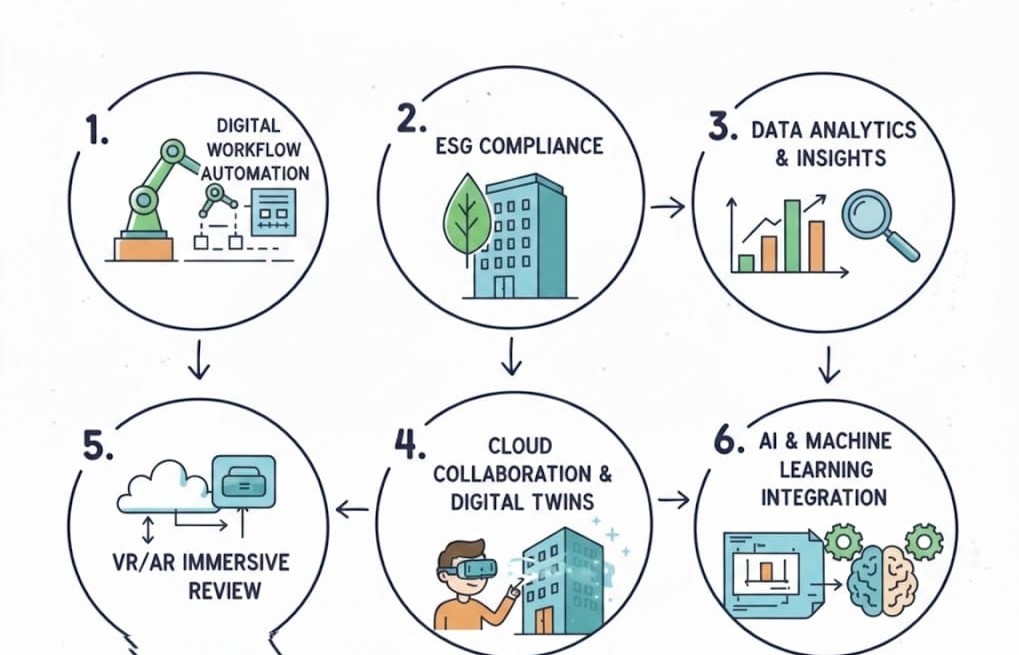
To understand why certain tools matter more than others, we need to look at what BIM Coordinators actually do today.
In most projects I’ve worked on, a BIM Coordinator is responsible for:
- Federating architectural, structural, and MEP models
- Managing clash detection and issue resolution workflows
- Ensuring compliance with BIM Execution Plans (BEP)
- Maintaining model health, data consistency, and naming standards
- Facilitating coordination meetings and technical discussions
- Acting as a bridge between designers, engineers, and project managers
Every software tool in this list supports one or more of these responsibilities.
How This BIM Software List Is Categorised
Instead of listing tools randomly, this BIM software list is organised by coordination function, making it easier to understand why you would use a tool — not just what it does.
The categories include:
- Authoring & discipline-specific BIM tools
- Model coordination & clash detection
- Cloud collaboration platforms
- Review, visualization & communication tools
- Quantity takeoff & 4D/5D support
- OpenBIM & interoperability tools
- Emerging AI and automation tools
Authoring & Discipline-Specific BIM Software
Even if you are not modelling full-time, understanding authoring tools is critical for effective coordination.
Autodesk Revit (Architecture, Structure & MEP)
Revit remains the backbone of most BIM coordination workflows in 2026.
From a coordinator’s perspective, Revit is valuable because:
- It supports consistent data structures through shared parameters
- Worksets and linked models allow controlled collaboration
- Native discipline integration reduces translation errors
As a BIM Coordinator, you don’t just open Revit to check geometry. You use it to:
- Verify modelling standards
- Check level consistency
- Identify modelling practices that may cause downstream clashes
Revit is less about drawing and more about data discipline.
Archicad

Archicad is commonly used by architectural teams, especially in design-focused practices.
For BIM Coordinators, Archicad becomes relevant when:
- Projects involve mixed-software environments
- IFC exchange is critical
- Design intent needs to be preserved accurately
Understanding Archicad helps coordinators avoid blaming “software issues” when the real challenge is interoperability planning.
Tekla Structures

Tekla is indispensable in projects involving:
- Structural steel
- Precast concrete
- Fabrication-level detailing
From coordination experience, Tekla models often contain much higher detail levels than architectural or MEP models. A BIM Coordinator must understand this difference to:
- Set realistic clash tolerances
- Manage expectations during coordination meetings
Model Coordination & Clash Detection Software
This is the heart of BIM coordination.
Navisworks Manage

Navisworks Manage continues to be one of the most widely used coordination tools for good reason.
For BIM Coordinators, its strengths include:
- Robust clash detection and grouping
- Saved viewpoints for coordination meetings
- Easy aggregation of multi-format models
In real projects, Navisworks is not just for detecting clashes — it’s a communication tool. Well-organised clash sets often determine how productive coordination meetings are.
Solibri Office

Solibri goes beyond clash detection.
It is particularly strong for:
- Rule-based model checking
- Code and standards compliance
- Model quality validation
For BIM Coordinators working on large or regulated projects, Solibri helps shift coordination from reactive clash fixing to proactive quality control.
Revizto

Revizto is increasingly popular because it focuses on issue management, not just clashes.
From a coordinator’s point of view:
- Issues can be tracked visually
- Comments are centralised
- Field teams can participate
This makes Revizto especially useful in projects where coordination continues during construction.
BIM Collaboration & Cloud-Based Platforms
In 2026, coordination is no longer file-based.
Autodesk Construction Cloud (BIM Collaborate)

Autodesk Construction Cloud supports:
- Centralised model access
- Cloud-based coordination
- Version control and permissions
For BIM Coordinators, this platform reduces:
- File confusion
- Email-based coordination
- Manual model tracking
It also aligns well with clients demanding digital delivery transparency.
Trimble Connect
Trimble Connect is valuable in projects where:
- Multiple software platforms are involved
- OpenBIM workflows are required
It allows BIM Coordinators to maintain collaboration without forcing teams into a single ecosystem.
BIM Review, Visualization & Communication Tools
Coordination is not only technical — it’s visual.
BIMx, Enscape & Twinmotion
These tools help BIM Coordinators:
- Explain issues to non-technical stakeholders
- Conduct design reviews efficiently
- Improve understanding during coordination meetings
Visualization tools reduce miscommunication, especially when working with clients or site teams unfamiliar with BIM terminology.
Quantity Takeoff & 4D/5D Integration Tools
Modern BIM Coordinators often support planning and cost teams.
Navisworks Quantification, CostX & Synchro
These tools allow coordinators to:
- Validate quantities against models
- Support sequencing discussions
- Identify constructability issues early
Even basic familiarity improves coordination quality significantly.
OpenBIM & Interoperability Tools
Interoperability is no longer optional.
IFC Viewers & Validators
IFC tools help BIM Coordinators:
- Validate model exchanges
- Identify data loss early
- Maintain consistency across platforms
OpenBIM knowledge protects projects from vendor lock-in and miscommunication.
AI, Automation & Emerging BIM Tools in 2026
AI in BIM is evolving cautiously, not as a replacement for BIM professionals, but as a support system for better decision-making. In 2026, most AI-driven BIM tools are focused on reducing repetitive tasks, improving model quality checks, and assisting coordinators with pattern recognition — rather than fully automating coordination. For BIM Coordinators, the real value of AI lies in how effectively it complements human judgement, workflow understanding, and project experience.
In coordination, AI is being used for:
- Automated rule checking
- Clash pattern analysis
- Model health monitoring
As BIM Coordinators, it’s important to use AI as support, not blindly trust it. Human judgement still defines coordination success.
How BIM Coordinators Should Choose the Right Software Stack
From experience, the best software stack depends on:
- Project scale and complexity
- Discipline mix
- Client BIM requirements
- Team skill levels
- Integration capability
More tools don’t mean better coordination. The right tools, used well, do.
Common Mistakes BIM Coordinators Make When Selecting Software

Some of the most common issues include:
- Choosing tools before defining coordination workflows
Many coordinators jump straight into software selection without first understanding how models will be created, shared, reviewed, and approved. At BIM Cafe, this is one of the first gaps we address — software should support the workflow, not dictate it. - Overloading teams with unnecessary platforms
More tools often lead to confusion, duplicated effort, and resistance from teams. Effective coordination usually comes from a well-chosen, minimal stack rather than a long list of applications. - Ignoring interoperability and data exchange challenges
Mixed-software environments are common, especially in India and the Middle East. Failing to plan for IFC exchanges, version control, and data consistency creates coordination problems long before clashes appear. - Assuming software alone will fix coordination issues
This is perhaps the biggest misconception. No software can replace coordination thinking, communication skills, or decision-making. Even in structured BIM learning environments like BIM Cafe Learning Hub, the focus is always on process understanding first, tools second.
In reality, coordination is a process, not a product. Software only becomes effective when it is applied within a clearly defined, well-understood coordination framework.
BIM Software Supports Coordination — It Doesn’t Replace It
BIM software is powerful, but it doesn’t replace:
- Communication
- Technical understanding
- Decision-making
As BIM Coordinators, our value lies in how we use tools, not how many we list on our CV.
If you’re building your BIM career or refining your coordination workflow in 2026, focus on mastering coordination thinking first — software will follow.
If you have experience with any of these tools or want guidance on building a BIM coordination career, feel free to share your thoughts or questions. Learning in BIM never really stops.
FAQs