Author: Devika R
March 13, 2026
9 min read
Data Management in BIM has become a critical success factor for modern AEC projects. As Building Information Modeling workflows grow more complex, teams must handle massive volumes of design, coordination, and asset data with precision and control. Poor data practices can lead to version conflicts, rework, and costly project delays.
Effective BIM data management ensures that project stakeholders always work with accurate, structured, and accessible information. When implemented correctly, BIM information management, BIM data organization, and BIM data standards help teams improve collaboration, reduce errors, and maintain long-term asset value.
This guide outlines proven best practices that align with industry expectations and search quality principles, helping professionals build reliable and scalable BIM data workflows.
Why Data Management in BIM Matters
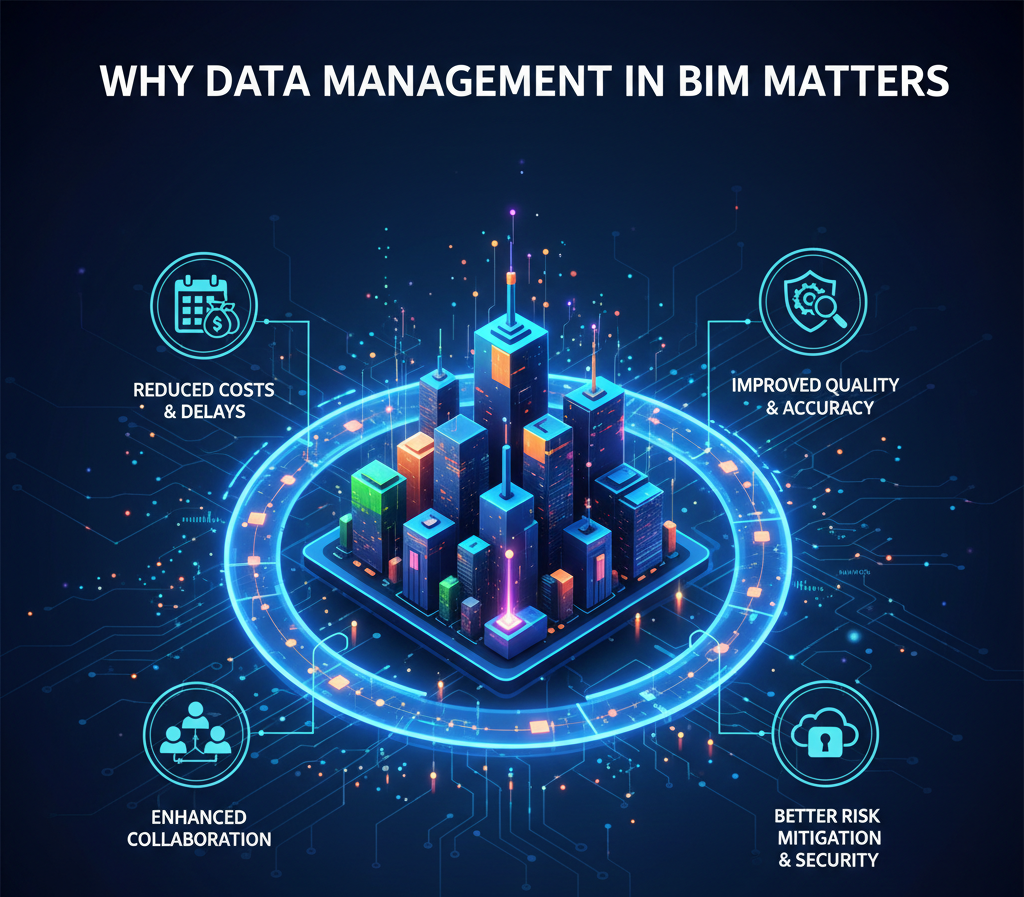
Strong Data Management in BIM is not just about storing files — it is about controlling the lifecycle of project information.
Key reasons it matters:
- Prevents version confusion across multidisciplinary teams
- Improves model coordination and clash detection accuracy
- Supports regulatory compliance and audit trails
- Enables reliable facility management after project handover
- Enhances collaboration across distributed teams
Without proper BIM data management, even well-modeled projects can suffer from information breakdowns. Professionals who want to implement structured workflows effectively often begin with a premium BIM course that covers real-world data governance practices.
1. Establish Clear BIM Data Standards
One of the first steps in effective BIM information management is defining standardized data protocols that every stakeholder follows. Without documented standards, teams often create inconsistent models, duplicate parameters, and poorly structured files. Clear standards ensure that Data Management in BIM remains scalable as project complexity grows.
What to standardize
- File naming conventions
Create a uniform naming structure that includes project code, discipline, zone, level, and revision. This prevents confusion and improves file traceability. - Model structuring rules
Define how models should be segmented (by discipline, zone, or building). Consistent structuring improves coordination and model federation. - Parameter naming formats
Standardize shared parameters and property naming to avoid duplicates and mismatches across models. - Classification systems (Uniclass, OmniClass, etc.)
Use recognized classification frameworks to ensure data is machine-readable and interoperable. - Level of Information Need (LOIN)
Clearly define what information is required at each project stage to prevent over-modeling or missing data.
Why it matters
- Ensures consistency across multidisciplinary teams
- Reduces onboarding time for new contributors
- Improves searchability and retrieval of BIM data
- Supports automation and rule-based validation workflows
Well-defined BIM data standards create the foundation for scalable and reliable project delivery.
2. Implement a Common Data Environment (CDE)

A Common Data Environment is the backbone of modern Data Management in BIM. It serves as the single source of truth where all project information is stored, managed, and shared in a controlled manner. Without a properly managed CDE, teams often rely on fragmented file-sharing methods that increase risk.
Core functions of a CDE
- Centralized data storage
Keeps all models, drawings, and documents in one governed location. - Controlled access permissions
Ensures only authorized users can view or modify specific data. - Version tracking
Automatically records file updates and revisions. - Workflow approvals
Supports structured review and approval processes. - Audit history
Maintains a transparent record of changes and user activity.
Best practices
- Define folder structures at project kickoff
- Set clear status codes (WIP, Shared, Published, Archived)
- Assign role-based access controls
- Automate approval workflows where possible
- Enforce upload and review protocols
A properly configured CDE significantly improves BIM data organization and reduces information silos across teams.
3. Maintain Robust Version Control
Version confusion is one of the biggest risks in BIM workflows. Strong BIM data management requires disciplined version control to ensure teams always work on the correct model iteration.
Recommended approach
- Use automated version numbering within the CDE
- Avoid manual file overwriting or local saves
- Maintain complete revision history
- Lock published or approved models
- Archive superseded versions systematically
Benefits
- Eliminates duplicate or conflicting work
- Prevents coordination and clash errors
- Supports full traceability of changes
- Protects overall data integrity
Consistent version control is essential for reliable BIM information management, especially on large collaborative projects.
4. Define Clear Roles and Responsibilities

Data ownership must be clearly defined to avoid confusion and unauthorized changes. Mature Data Management in BIM frameworks always include documented responsibility matrices.
Typical BIM data roles
- BIM Manager — oversees overall data strategy and standards
- BIM Coordinator — manages model federation and quality checks
- Model Authors — develop discipline-specific models
- Information Manager — governs compliance with data requirements
Why role clarity matters
- Prevents unauthorized edits
- Improves accountability and auditability
- Streamlines approval workflows
- Enhances multidisciplinary collaboration
Clear governance structures significantly strengthen overall BIM data organization.
5. Structure Models for Long-Term Usability
Good modeling alone is not enough — data must remain usable throughout the asset lifecycle. Future-ready BIM data standards focus on maintainability, not just design-stage performance.
Model structuring tips
- Use consistent and logical worksets
- Avoid unnecessary geometric detail (over-modeling)
- Maintain clean and mapped parameters
- Remove unused families and content
- Validate classification codes regularly
Lifecycle focus
Effective BIM data organization ensures models support:
- Design coordination
- Construction planning and sequencing
- Quantity take-offs and cost estimation
- Facility and asset management
Lifecycle thinking is a hallmark of mature Data Management in BIM practices.
6. Automate Data Validation and Quality Checks

Manual checking alone cannot sustain large BIM projects. Automation improves reliability, speed, and consistency in BIM information management.
What to automate
- Model health and performance checks
- Parameter completeness validation
- Naming convention compliance
- Clash detection routines
- Data drop and milestone validation
Tools commonly used
- Rule-based model checking platforms
- BIM validation scripts and plugins
- Model auditing dashboards
- Automated reporting systems
Automation strengthens BIM data management while significantly reducing human error and review time.
7. Ensure Secure Data Access and Permissions
Security is a growing concern in BIM data management, particularly with cloud-based collaboration. Sensitive project data must be protected through structured access control.
Security best practices
- Implement role-based permissions
- Enable multi-factor authentication (MFA)
- Conduct regular access reviews
- Use secure cloud platforms
- Maintain automated data backup policies
Risk mitigation
Proper controls protect:
- Intellectual property
- Sensitive project information
- Client confidentiality
- Regulatory and contractual compliance
Secure environments are essential for trustworthy Data Management in BIM.
8. Plan for Asset Information Handover

Many projects fail at the final step — delivering usable asset data. Strong BIM data organization must include handover planning from the early project stages, not just at completion.
Handover preparation steps
- Define Asset Information Requirements (AIR) early
- Align deliverables with Employer’s Information Requirements (EIR)
- Validate COBie data progressively, not at the end
- Coordinate with facility management stakeholders
- Perform structured pre-handover audits
Outcome
Well-executed BIM information management ensures the owner receives structured, validated, and operational digital assets — not just design models. This is the ultimate measure of successful Data Management in BIM.
Common Mistakes to Avoid in BIM Data Management
Even experienced teams make avoidable errors that weaken Data Management in BIM. Identifying these gaps early helps organizations improve consistency, reduce coordination risks, and maintain high-quality information workflows across the project lifecycle.
Frequent pitfalls
- Lack of clear BIM data standards
When standards are not documented, teams create models using different rules. This leads to inconsistent parameters, naming conflicts, and poor interoperability. - Poor folder structures
Unstructured directories inside the CDE make it difficult to locate the latest information. Over time, this slows coordination and increases the chance of using outdated files. - Manual file sharing outside the CDE
Sharing models via email or local drives breaks the single source of truth. This is one of the most common causes of version conflicts in BIM workflows. - Inconsistent naming conventions
Without enforced naming rules, files and parameters become difficult to search, automate, and validate. - Ignoring data validation
Skipping automated checks allows incomplete parameters, classification errors, and model health issues to accumulate. - No ownership of information workflows
When roles are unclear, approvals get delayed, edits go untracked, and accountability is lost.
Why avoidance matters
Avoiding these mistakes dramatically improves Data Management in BIM maturity by:
- Strengthening data reliability
- Improving coordination efficiency
- Supporting scalable automation
- Reducing downstream rework
- Enhancing overall BIM data governance
Future Trends in BIM Data Management

The field of BIM data management is evolving rapidly as digital construction becomes more intelligent and connected. Forward-looking teams are already adapting their BIM information management strategies to stay competitive in increasingly data-driven project environments.
Emerging directions
- AI-driven model validation
Artificial intelligence is enabling faster detection of model errors, missing parameters, and compliance issues with minimal manual review. - Digital twin integration
BIM models are increasingly linked to live asset data, supporting real-time monitoring, predictive maintenance, and operational insights. - Cloud-native BIM platforms
Modern environments are shifting toward fully cloud-based ecosystems that improve scalability, remote collaboration, and data accessibility. - Automated compliance checking
Rule-based engines are being used to verify models against project standards, regulatory requirements, and client specifications. - Advanced data analytics
Project teams are leveraging BIM datasets for performance forecasting, cost intelligence, and risk prediction. - OpenBIM interoperability growth
Industry momentum toward open standards is improving cross-platform collaboration and long-term data usability.
Strategic outlook
Organizations that strengthen their Data Management in BIM practices today will be far better positioned to adopt these innovations. As BIM data management continues to mature, success will increasingly depend on structured data governance, automation readiness, and lifecycle-focused information strategies.
Final Thoughts
Effective Data Management in BIM is the backbone of reliable digital project delivery. By implementing strong BIM data standards, improving BIM data organization, and enforcing disciplined BIM information management, teams can significantly reduce risk while improving collaboration and lifecycle value.
The most successful BIM-enabled organizations treat data as a strategic asset — not just project output. With the right structure, tools, and governance, BIM data becomes a powerful driver of efficiency, accuracy, and long-term operational success. For professionals aiming to strengthen their BIM information management skills, enrolling in a structured professional BIM course can accelerate practical understanding and industry readiness.